Announcing MapRoulette version 4.0
This blog has been quiet for a while, but the MapRoulette developers have been working hard behind the scenes, and are excited to announce MapRoulette version 4.0! This is a brand new user interface for MapRoulette, and was released earlier this week. You can try it out on maproulette.org.
MapRoulette v4 has been in development for almost a year, and been in public preview at beta.maproulette.org since June. We’ve recieved lots of helpful feedback during that time, and are excited to now be releasing the new UI for everyone to use.
A lot has changed in MapRoulette 4, but here are some highlights.
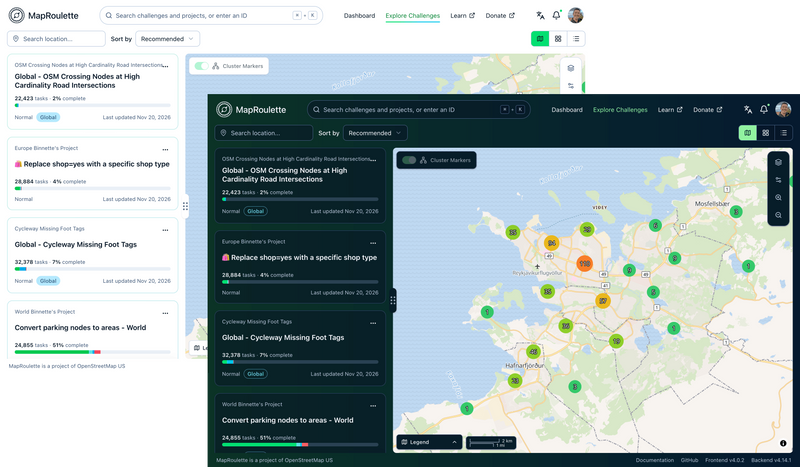
Light and dark modes
Switch between a high contrast light theme and a deep sea-green dark theme, both inspired by MapRoulette 3’s colorscheme. The theme switcher is found in the upper right corner (if you’re logged in, click your user avatar to show it).
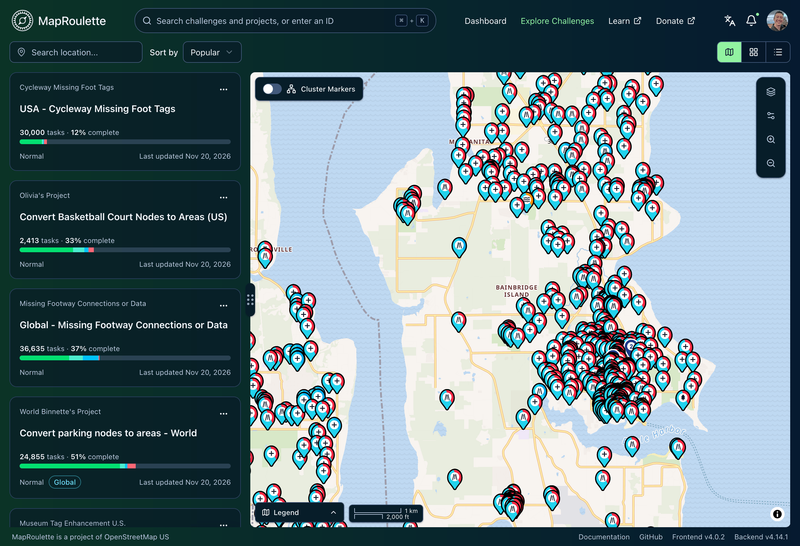
A faster task map, powered by MapLibre
MapRoulette 4 uses MapLibre GL JS to display maps. This means it now supports vector basemap styles, and can easily display thousands of tasks on screen at once. The clustered tasks mode is still available too, if you prefer.
An improved task editor
MapRoulette 4 now embeds the iD editor directly in the task completion screen, so you can edit OSM and complete tasks without leaving the page. (MapRoulette 3 offered a similar feature but used the Rapid editor). A custom MapRoulette toolbar is installed into the editor so you can easily reselect the current task or center the map on it. The toolbar floats so you can reposition it wherever you want.
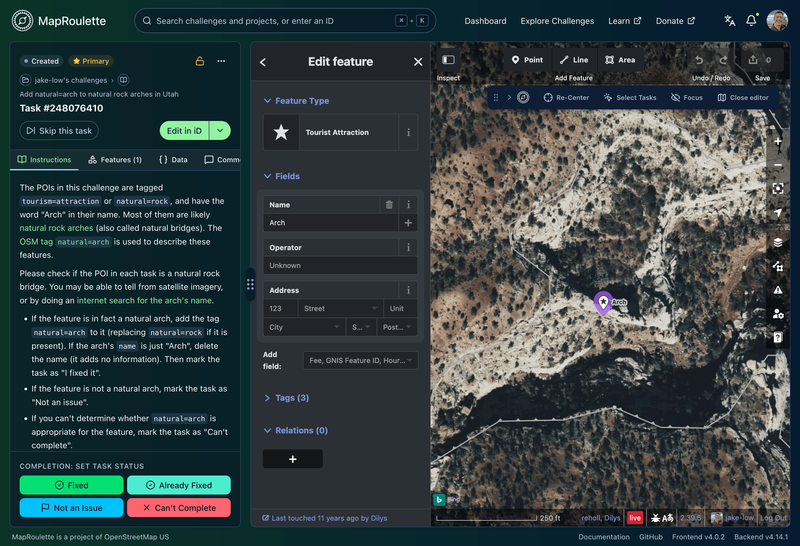
You can still open an external editor in a new tab, or a desktop editor such as JOSM, if you prefer that setup.
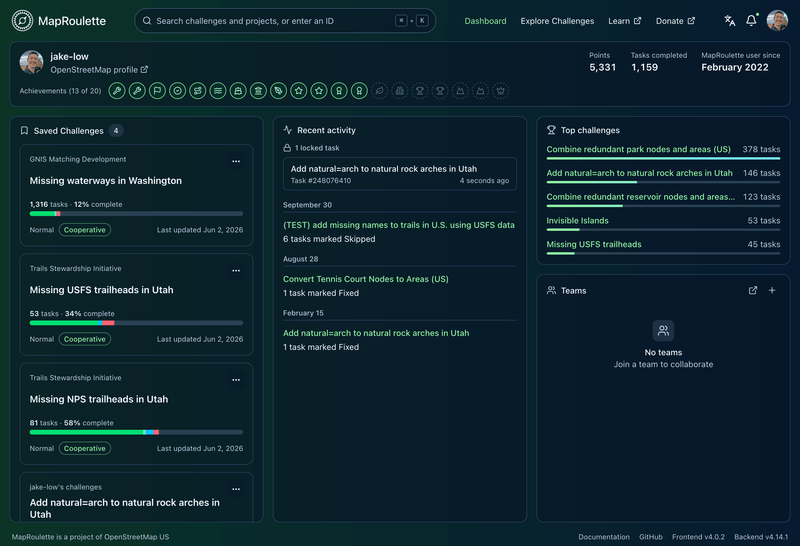
A more useful dashboard
The dashboard has been redesigned to show you more useful information at a glance, including you saved challenges and recent actions.
Translated into over a dozen languages
Like MapRoulette 3, the new MapRoulette UI is available in many languages. You can choose the interface language in the upper right corner.
If the interface isn’t yet fully translated into your language, you can help us translate it using Transifex.
Features we removed
To simplify the interface and make the codebase easier to maintain, MapRoulette 4 removed some features that were rarely used or which we felt didn’t belong in the application anymore, including:
- the task review workflow
- leaderboards (including global, per-country, and per-challenge leaderboards)
- customizable widget-based layouts on the dashboard and task completion screens
- virtual challenges and virtual projects
- public user profile pages
- task completion tags (completion comments are still supported)
- task style rules (tasks can still be styled using simplestyle properties)
- challenge snapshots
If you have feedback about the removed features, please open an issue on GitHub.
More coming soon
We have more improvements on the roadmap, including new features for challenge authors, updated docs to describe the new features and UI, updates to the backend and HTTP API, and the restoration of access for third party tools and editors (which is currently not working; see this community forum post for details). If you want more frequent updates about the progress on these features, keep an eye on our GitHub repos.
Special thanks
Design and development of MapRoulette v4 was possible thanks to help from East Slope Studio, a boutique web consulting firm based in the Methow Valley, WA. We could not have shipped this release without their design and frontend development expertise!